Most guides to making money with AI chatbots say the same thing: learn a chatbot tool, then message local businesses and offer to build one. The hard part is that message. A hotel manager or a school owner reads "I can build you an AI chatbot" and has to imagine what that means for their business, and most don't reply.
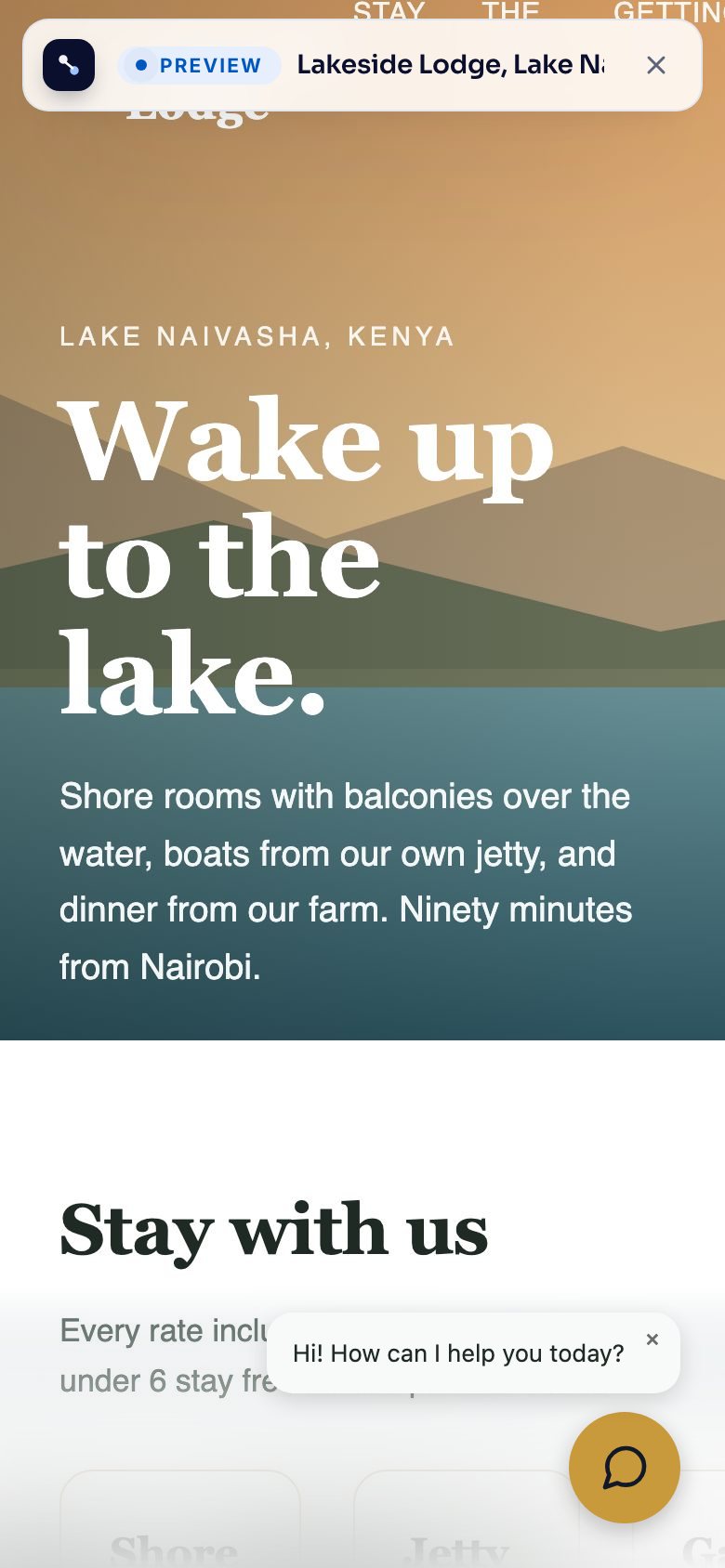
This guide flips the order. You build the chatbot first, from the business's own website, and your first message is a link where they can try it. They see their own site with a chat window in the corner, in their own colours, ask it about their prices, and get the right answer. Then you talk about price.
Why a working demo gets replies
Think about the last time someone sent you a cold message offering a service. If it described the service, you probably skimmed it. If it showed you something already made for you, you probably looked.
A chatbot is hard to picture from a description. A business owner doesn't know whether it will answer their customers' real questions, whether it will say something wrong, or what it looks like on their site. A pitch link answers all three before you've asked for anything. My guess is that this is why a demo gets more replies than a description, but I don't have numbers to prove it, so treat it as something to test with your own messages.
It also changes the question you ask, from "do you want a chatbot?" to "do you want to keep this one?", and by then they've already used it.
What you're selling
You're selling a done-for-you service, not software. The business gets a chat window on their website that:
- answers visitors' questions from the business's own pages, day and night,
- says so when it doesn't know something, and offers to pass the question to the business (by a short form or WhatsApp),
- keeps a record of everything visitors asked, including the questions it couldn't answer.
You set it up, put it on their site, and keep it accurate. That last part is why they keep paying you every month, and we'll come back to it.
Step 1: pick businesses that get the same questions every day
The best prospects answer the same handful of questions over and over, by phone, WhatsApp or email. Hotels and guest houses (rooms, prices, check-in times), schools (fees, admissions, term dates), clinics (opening hours, services), and tour operators are good places to start.
Look at their website before you build anything. A good prospect has:
- a real website with several pages about what they offer, their prices and how to reach them,
- a phone or WhatsApp number on every page, which usually means people call with questions,
- no chat window yet.
A one-page website with almost no text won't give the chatbot much to work with. Skip those for now.
Step 2: build the chatbot from their website
In BusinessChat, open Builds and click Build from a website. Paste the address of the prospect's home page, or the page of one branch if they have several, and choose A client's or prospect's. That choice tells it to make a pitch link at the end.
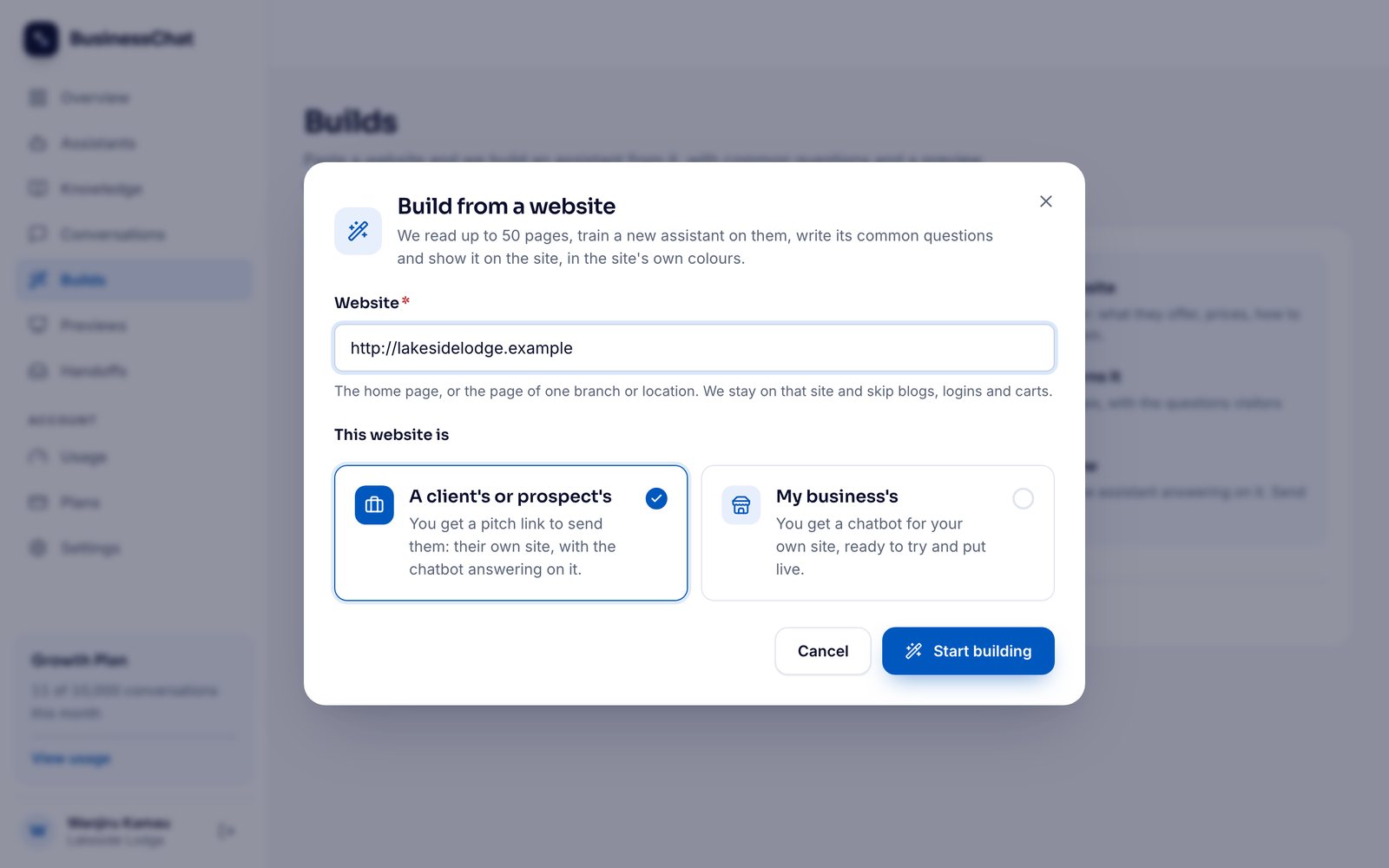
Click Start building. It reads the pages on that site, skipping blogs, logins and shopping carts, and learns what's on them. You can watch the pages it found appear as it goes.
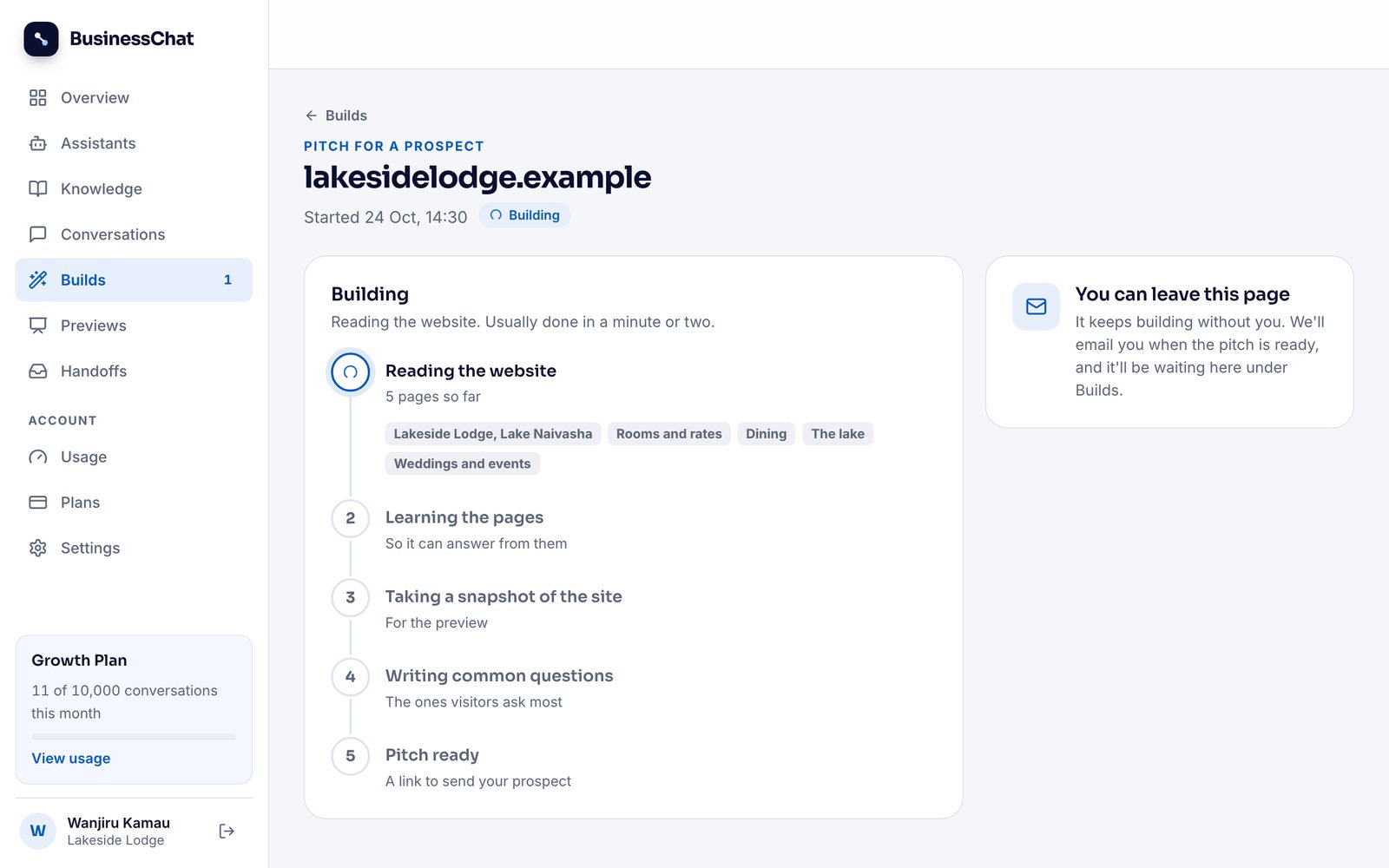
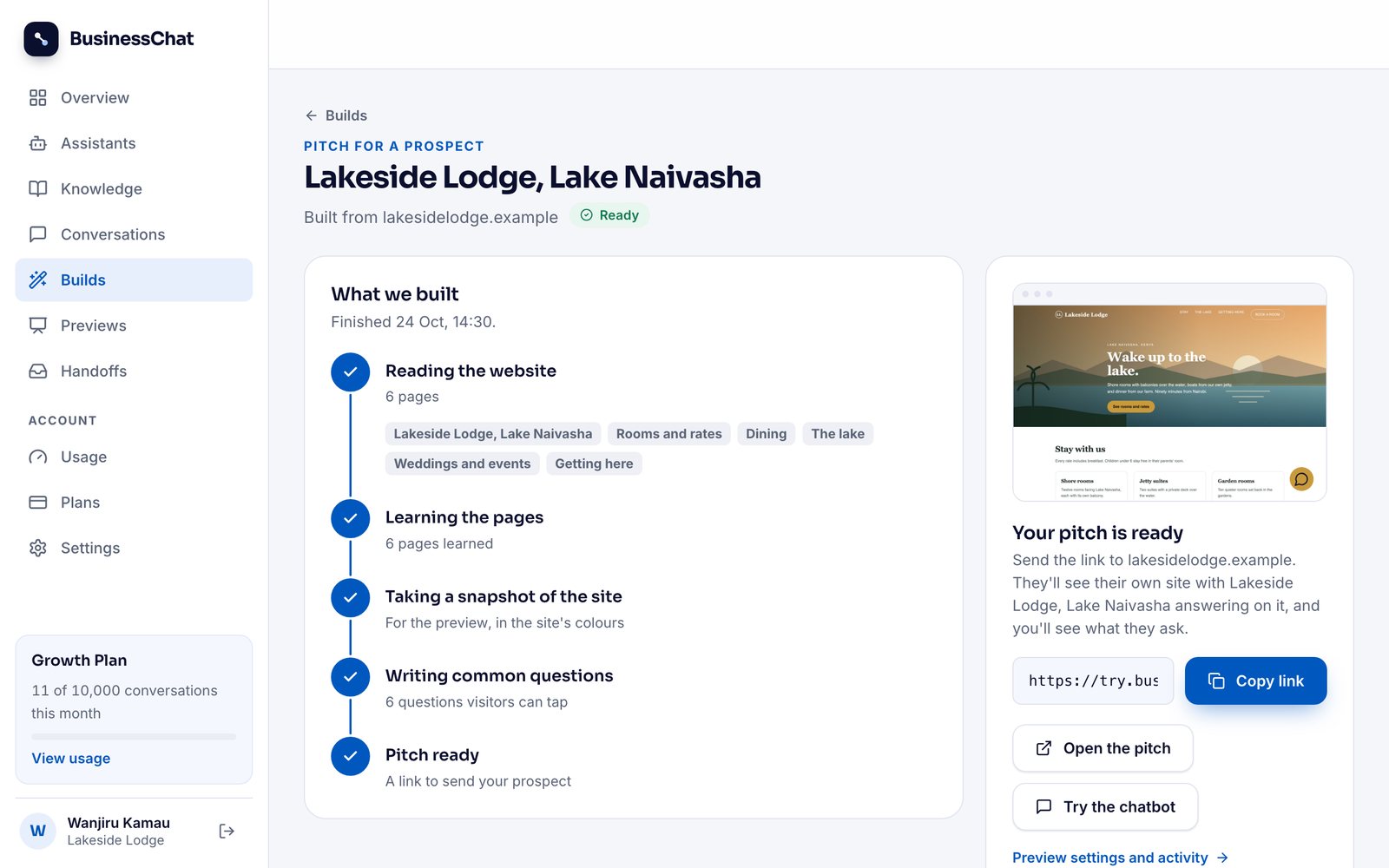
It then takes a snapshot of the site for the pitch page, dresses the chatbot in the site's own colours and fonts, writes the questions visitors are most likely to ask, and gives the chatbot the business's name. It's usually done in a minute or two, and you can leave the page: you get an email when it's ready.
Step 3: try it before you send it
Before the link goes anywhere, open it and ask the questions a real customer would. Click Open the pitch (or Try the chatbot) and ask about prices, opening hours, how to book and how to get there.
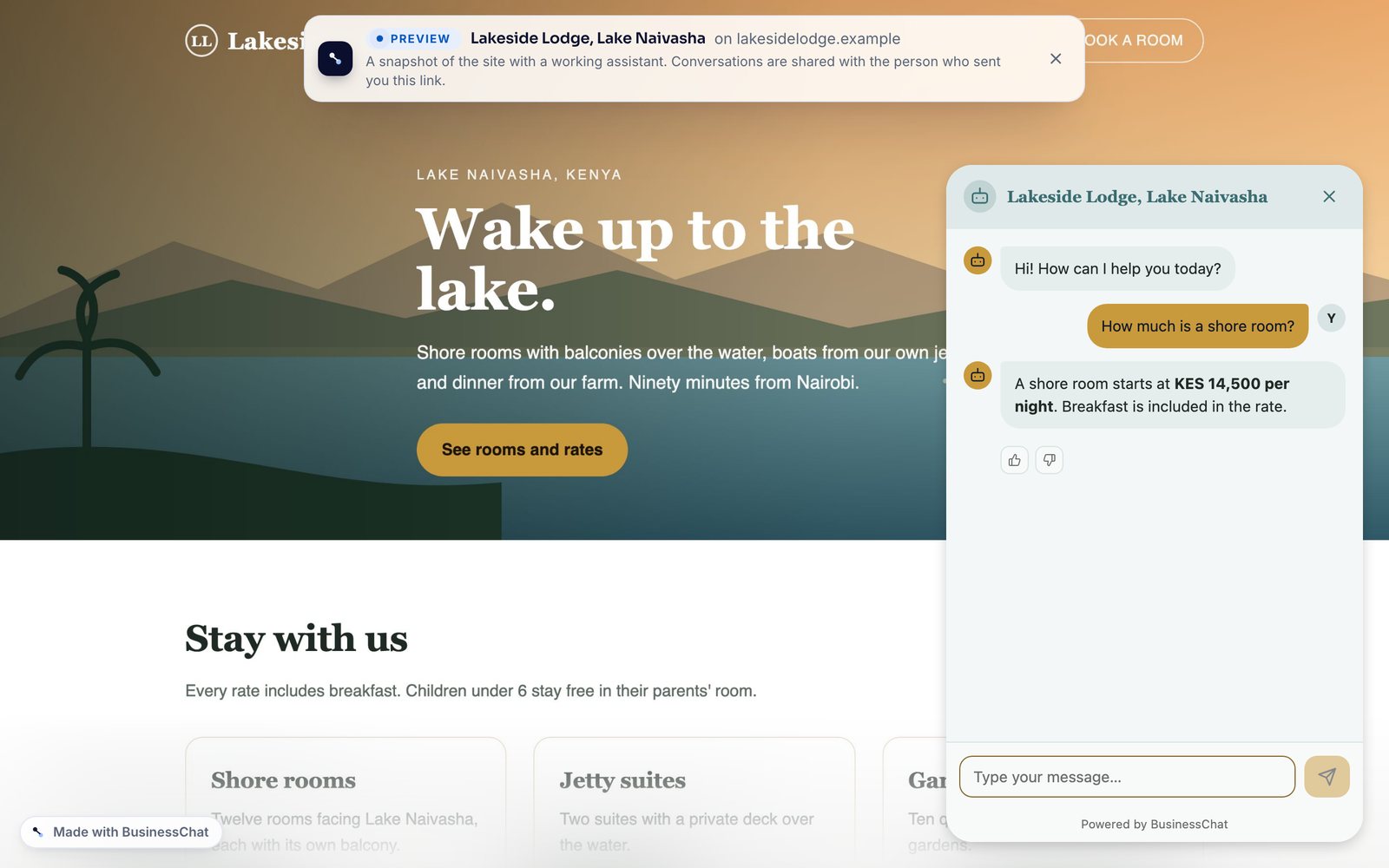
If it can't answer something, look at their website. Usually the answer isn't there, or it's hidden in a picture or a PDF, which the build doesn't read. Don't hide that from the prospect. "Your site doesn't say whether you do airport pickups, so the chatbot can't either" is useful advice, and it gives you a reason to talk.
Step 4: send the link with a short, personal message
Copy the pitch link and send it the way that business already talks to customers: WhatsApp for many small businesses, email for others. Keep it short and about them. Something like:
Hi Wanjiru, I made a chat assistant for Lakeside Lodge from your website. It answers guests' questions about rooms, prices and getting there, day and night. You can try it on your own site here: [link]. Ask it anything a guest would. If you like it, I can put it on your real website this week.
Many people will open it on their phone, so check that view too. On a phone the chat waits in the corner with a greeting until they tap it.
Step 5: see who opened it and what they asked
You get an email the first time someone opens the link. The pitch's page in BusinessChat shows how many times it was opened, how many conversations there were, and every question asked on it, with any it couldn't answer marked.
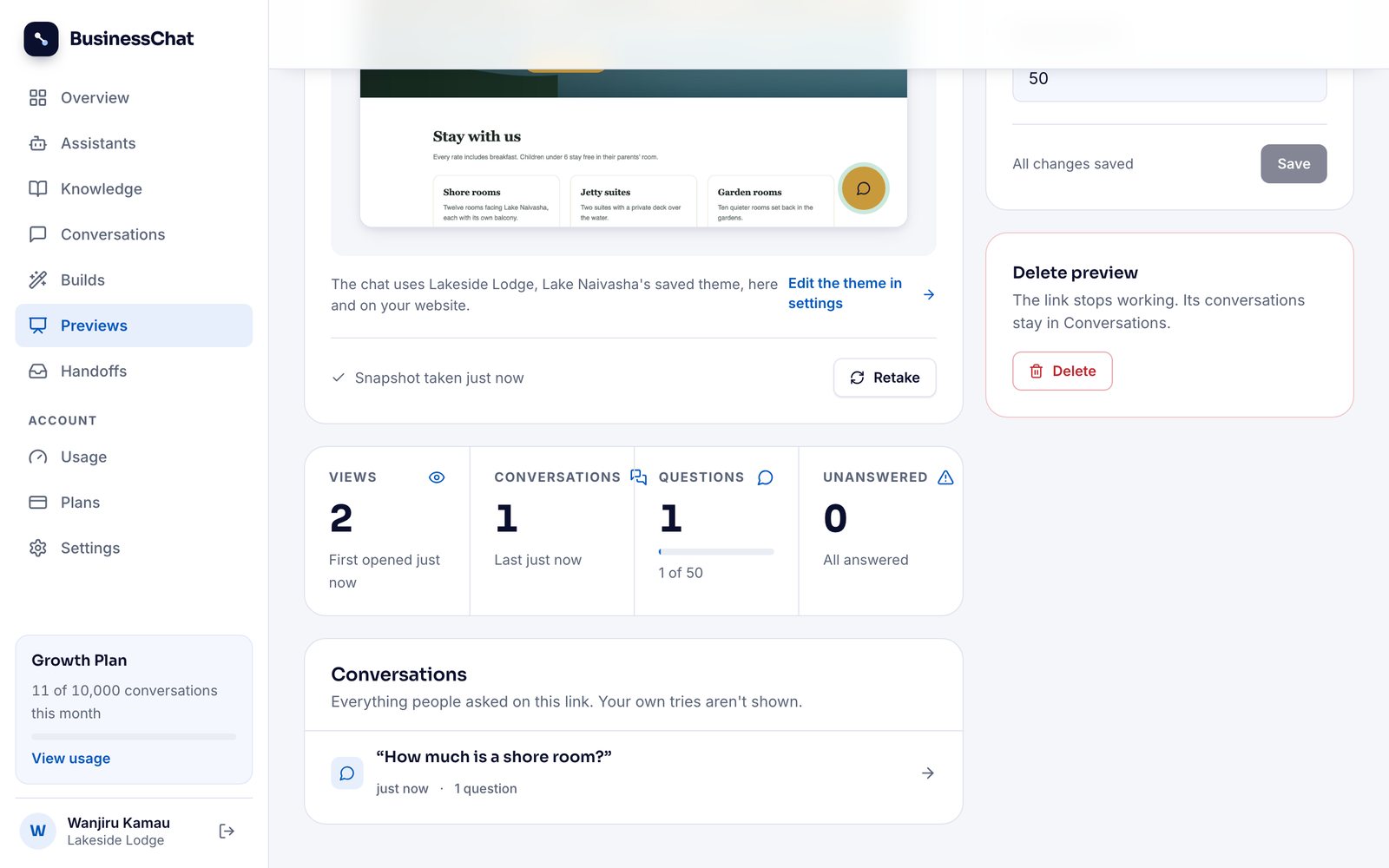
This is your follow-up. Instead of "did you see my message?", you can write "I saw you asked about wedding packages; the chatbot answered from your weddings page, but your site doesn't list prices for groups. Want me to add them?". You're replying to something they did.
If they haven't opened it after a few days, send one short reminder, then move on to the next business on your list.
Step 6: put it live on their website
When they say yes, the same chatbot goes on their real website. Open it from Assistants, go to Publish, add their website's address as a trusted domain (so the chatbot only works on their site), and copy the install code. There are instructions for WordPress, Shopify and Wix next to the code.
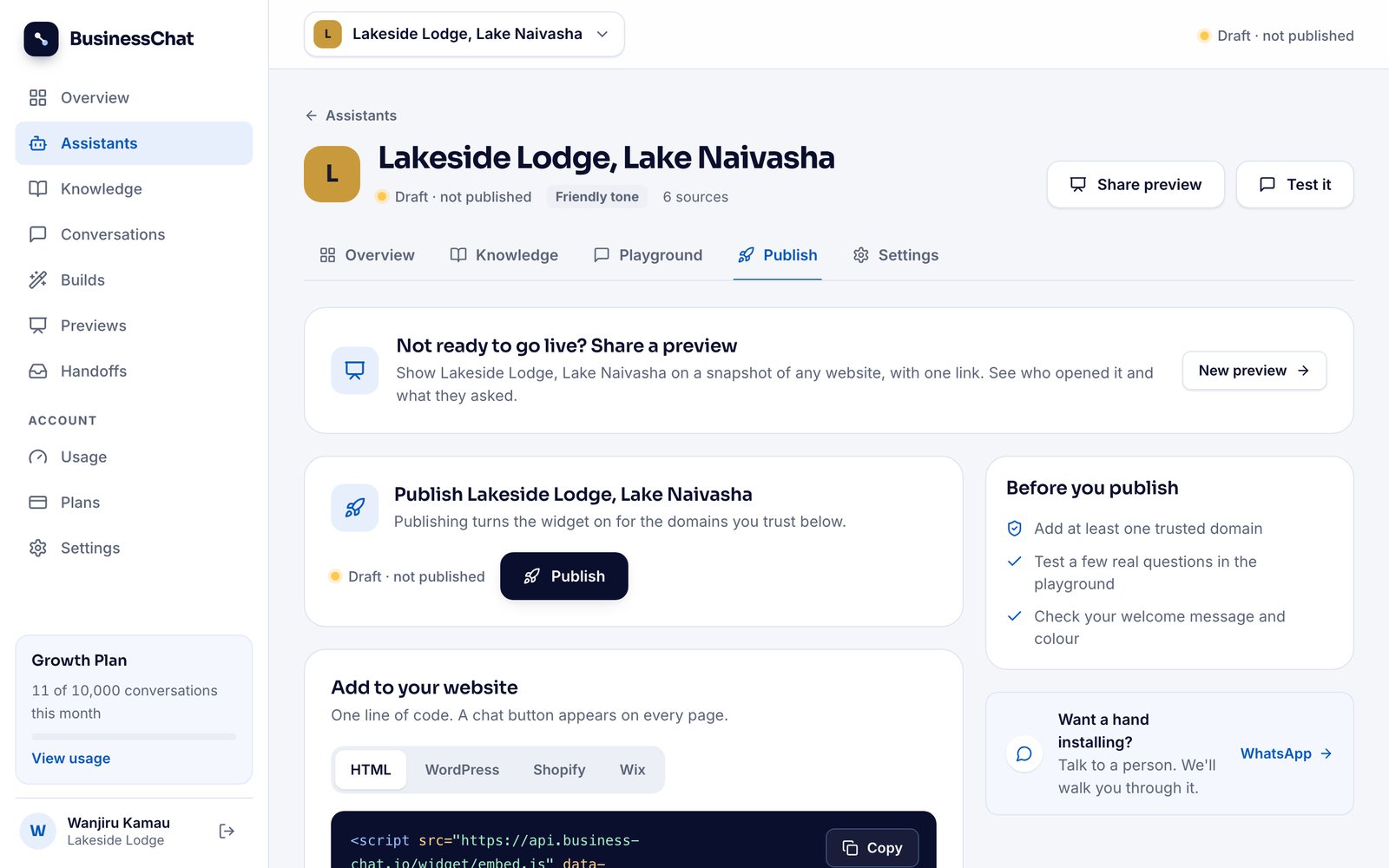
If you have access to their website, paste it in yourself. If someone else runs it, send them the code; it's one line, and it goes on every page at once. Then click Publish.
How to price it
I'm keeping numbers out of this post, because the right price depends on your country, the size of the business and how much work you take on. What I'd suggest is a structure:
- A setup fee, paid once, for building the chatbot, checking its answers and putting it on their site.
- A monthly fee for keeping it accurate and reporting back. This is the part that turns one sale into income that repeats.
Your main cost is your BusinessChat plan, and one plan can cover more than one client, so work out what one client costs you each month and make sure the monthly fee covers it and your time. If a business can see what customers ask and how much time that saves their staff, the monthly fee is much easier to keep.
What to do every month after they say yes
The monthly fee should pay for work you do every month, and the chatbot gives you the list:
- Read the questions it couldn't answer. Each one is a gap in the business's information. Ask them for the answer and add it, and those questions get answered from then on.
- Pass on the follow-ups. Visitors who left their details after a question it couldn't answer show up in the dashboard. Make sure the business replies.
- Send a short report. What customers asked most, what's new in the chatbot, and anything you think they should add to their website.
That report is what the business sees every month. It reminds them what they're paying for, and it can lead to the next piece of work.